8 Types of QR Code Scanners and Their Uses
Published: 5 Sep 2026
Have you ever tried to scan a QR code, but your phone failed to read it? It can be frustrating when you need quick access to a website, ticket, or payment page.
I have seen this problem often while working with computer hardware and scanning devices. Like other types of scanners, QR code scanners are designed for different scanning needs. A smartphone may suit daily use, while a dedicated scanner can handle busy business tasks.
That is why knowing the types of QR code scanners is useful. In this guide, I will explain the common types, their uses, and where each one works best. You will learn the differences in simple English.
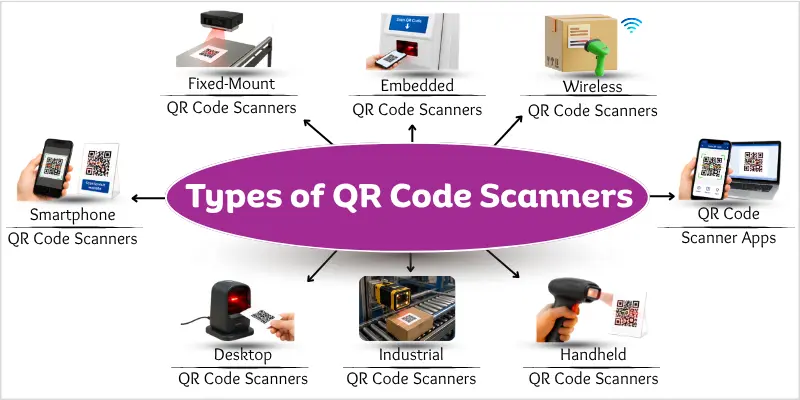
Different Types of QR Code Scanners
QR code scanners come in different forms based on their device, software, design, connection, and use. Each type suits different scanning needs, from everyday phone scanning to busy business and industrial tasks.
Quick list of all types of QR code scanners
- Smartphone QR Code Scanners
- QR Code Scanner Apps
- Handheld QR Code Scanners
- Wireless QR Code Scanners
- Fixed-Mount QR Code Scanners
- Desktop QR Code Scanners
- Embedded QR Code Scanners
- Industrial QR Code Scanners
Let’s explore these QR code scanner types with examples in detail to understand them better.
Smartphone QR Code Scanners
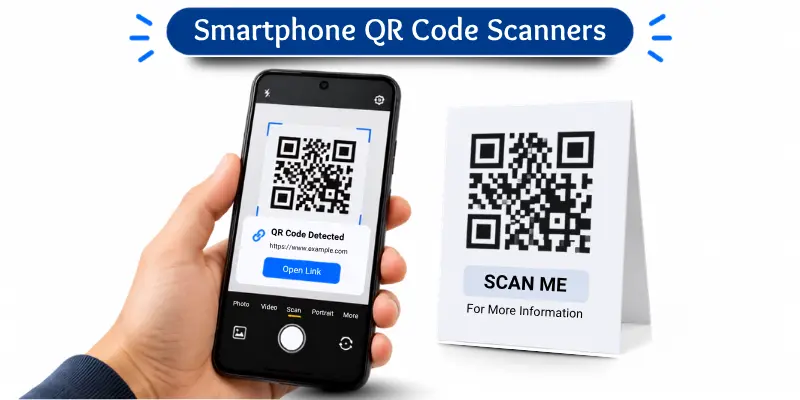
Smartphone QR code scanners make QR code scanning quick and easy. Modern Android phones can scan QR codes using their built-in cameras, while iPhones can scan QR codes with the Camera app.
When you point the camera at a QR code, the phone detects it and shows the related link or action on the screen. You can then tap it to open the website or use the information.
Common Uses
You can use a smartphone QR code scanner for:
- Opening websites
- Viewing restaurant menus
- Making or accessing payments
- Opening event tickets
- Connecting to Wi-Fi networks
Benefits
- Easy to use for quick QR code scanning
- Does not require a separate scanner
- Provides fast access to digital information
- Works well for everyday scanning tasks
- Useful at stores, schools, restaurants, and events
Limitations
- Less suitable for high-volume scanning
- Depends on the phone’s camera quality
- Can be inconvenient during long scanning tasks
Example: A student sees a QR code on a poster. They point their phone camera at it and scan the code to open a website.
QR Code Scanner Apps
QR code scanner apps are dedicated apps that turn a phone into a QR code reader. They can offer scanning options that a built-in camera may not provide.
Unlike a smartphone’s built-in camera, a scanner app is made specifically for reading QR codes. This makes it a separate type based on software rather than the scanning device. Some apps also let you scan QR codes from saved images or use extra scanning features.
Common Uses
You can use QR code scanner apps for:
- Personal QR code scanning
- Scanning saved QR code images
- Scanning on older devices
- Using extra QR scanning features
Common Features
QR code scanner apps may offer:
- Scan history for viewing previous scans
- Link detection for identifying web links
- Image scanning for reading saved QR codes
Safety Tip
Download QR code scanner apps from trusted app stores. Check the app’s reviews and permissions before installing it.
Example: A user has a QR code image saved on their phone. They open a scanner app and scan the image to access its information.
Handheld QR Code Scanners
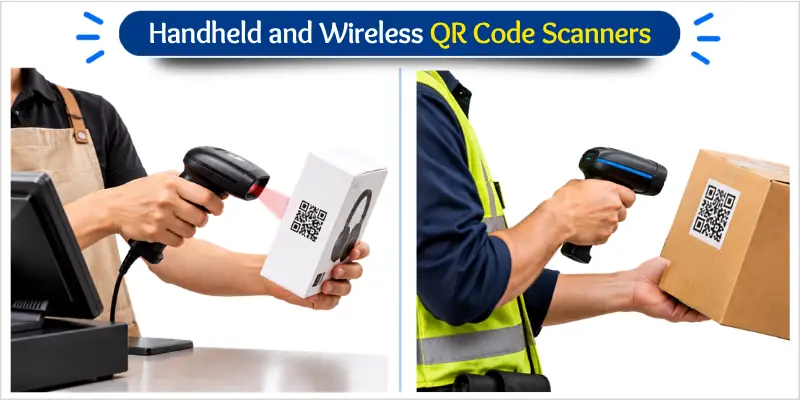
Handheld QR code scanners are physical devices made for quick and repeated scanning. Businesses often use them when they need faster scanning than a smartphone can provide.
You hold the scanner in your hand and point it at a QR code. The scanner reads the code and sends the data to a connected computer or POS system. Many models connect through USB, while some support wireless connections.
Common Uses
Handheld QR code scanners are commonly used for:
- Scanning products in retail stores
- Tracking items during inventory
- Managing products in warehouses
- Managing documents or items in offices
- Managing books in libraries
Benefits
- Supports fast and repeated QR code scanning
- Easy to point at codes from different positions
- Works well with computers and POS systems
- Helps speed up routine business tasks
- More suitable for frequent scanning than a smartphone
Limitation
- Usually costs more than using a smartphone for basic scanning
Example: A store employee uses a handheld QR code scanner to scan product codes during inventory work.
Wireless QR Code Scanners
Wireless QR code scanners let users scan codes without staying connected to a cable. They are useful when workers need to move freely while scanning items.
A wireless QR code scanner uses a wireless connection, such as Bluetooth, to send scanned data to a computer, POS system, or other device. Unlike a wired scanner, it does not need a physical cable for data transfer.
Common Uses
Wireless QR code scanners are commonly used for:
- Scanning products in retail stores
- Checking items in warehouses
- Managing inventory
- Checking tickets at events
- Supporting mobile checkout
Benefits
- Allows easy movement while scanning
- Removes cable restrictions during work
- Makes scanning more flexible in different locations
Limitation
- Needs a battery or regular charging to keep working
Example: A warehouse worker carries a wireless QR code scanner while checking items in different storage areas.
Fixed-Mount QR Code Scanners
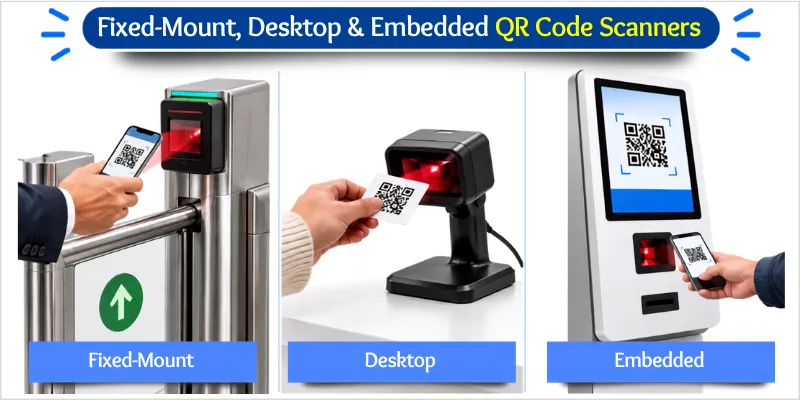
Fixed-mount QR code scanners stay in one place and scan codes as people or items pass by. They work well where businesses need fast and repeated scanning without moving the scanner.
A fixed-mount scanner is installed at a fixed position, such as a gate, kiosk, checkout area, or machine. The user simply holds or places the QR code in front of the scanner. The scanner then reads the code and sends the data to the connected system.
Common Uses
Fixed-mount QR code scanners are commonly used for:
- Reading tickets at event gates
- Scanning codes at self-service kiosks
- Processing QR codes at checkout systems
- Checking codes at access points
- Supporting automated machines
Benefits
- Supports fast and repeated QR code scanning
- Works well with automated workflows
- Reduces the need for manual scanning
Limitation
- Not portable because it stays installed in one location
Example: At an event entrance, a fixed scanner reads the QR code on a visitor’s ticket before they enter.
Desktop QR Code Scanners
Desktop QR code scanners are made for easy scanning at desks and counters. They keep the scanner ready in one place, so users can quickly scan a QR code when needed.
A desktop QR code scanner sits on a desk, counter, or other flat surface. The user holds a QR code in front of the scanner to read it. These scanners are common in workplaces where staff need quick and convenient access to QR code scanning.
Unlike fixed-mount scanners, desktop scanners are designed for regular use on a desk or counter. They are useful for staff who need a scanner nearby but do not need a permanently installed scanning unit.
Common Uses
Desktop QR code scanners are commonly used for:
- Scanning codes at retail counters
- Checking visitors at reception desks
- Processing QR codes in offices
- Scanning codes at service counters
- Supporting checkout tasks
Benefits
- Convenient for desk and counter-based scanning
- Keeps the scanner within easy reach
- Works well for regular workplace scanning
Limitation
- Not suitable for mobile scanning tasks
Example: A receptionist scans a visitor’s QR code at the front desk using a desktop QR code scanner.
Embedded QR Code Scanners
Embedded QR code scanners are built into another machine or device. They provide QR code scanning as part of a larger system.
An embedded scanner sits inside the equipment instead of working as a separate device. It can read a QR code and send the data directly to the system that uses it. This design saves space and supports automated tasks.
Common Uses
Embedded QR code scanners are commonly used in:
- Self-service kiosks
- Payment terminals
- Vending machines
- Access control systems
- Automated equipment
Benefits
- Saves space inside the larger device
- Supports automated QR code scanning
- Works as part of a complete system
- Reduces the need for a separate scanner
Limitation
- Usually not portable like a standalone QR code scanner
Example: A self-service kiosk uses a built-in QR code scanner to read a customer’s code.
Industrial QR Code Scanners
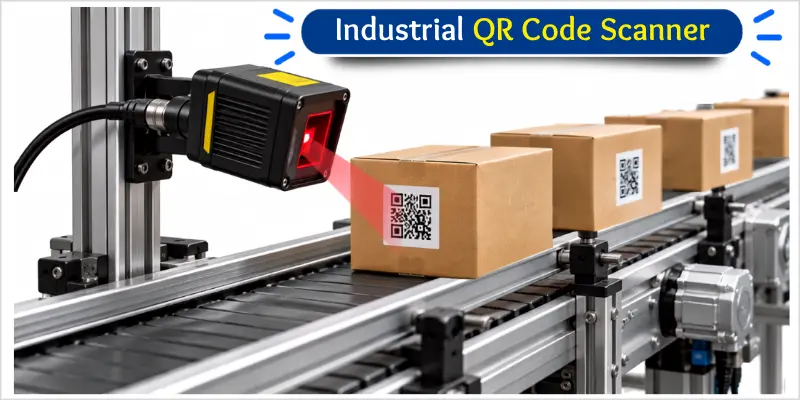
Industrial QR code scanners are built for busy and demanding work environments. They help businesses scan codes reliably during repeated daily operations.
These QR code scanners are commonly used in manufacturing, warehouses, and logistics. They are designed for frequent scanning and regular use in production areas. Their durable construction helps them handle demanding workplace conditions.
Common Uses
Industrial QR code scanners are commonly used for:
- Tracking products during manufacturing
- Managing items in warehouses
- Scanning packages in logistics
- Tracking items on production lines
- Managing product movement
Key Features
- Durable construction for regular workplace use
- Supports frequent QR code scanning
- Provides reliable performance during daily operations
- Designed for demanding industrial environments
Limitation
- Can cost more than basic consumer QR code scanners
Example: A factory uses industrial QR code scanners to track products as they move through the production line.
Conclusion
Each type of QR code scanner is designed for a different scanning need. Smartphones offer a simple option for everyday users, while scanner apps can provide extra features. Handheld and wireless scanners are useful for regular business work.
Fixed-mount and embedded scanners work well with automated systems. Desktop scanners suit counters and offices, while industrial scanners are designed for demanding work environments. Each type serves a different purpose based on where and how it is used.
From my experience with computer hardware and scanning technology, I recommend choosing a scanner based on your actual needs. Consider your work setting and scanning frequency. Choose the right QR code scanner and make your daily scanning tasks easier.
FAQs About QR Code Scanners
Here are some common questions beginners often ask about QR code readers.
For everyday users, a smartphone is one of the most common ways to scan a QR code. Modern smartphones can scan QR codes using their built-in cameras. This makes smartphone scanning convenient for websites, menus, tickets, payments, and other quick tasks.
A handheld QR code scanner is a good choice for many businesses that need frequent scanning. Wireless models can provide more freedom to move around. For fixed or automated tasks, a fixed-mount or embedded scanner may work better.
Some barcode scanners can read QR codes, but not all can. The scanner must support 2D codes, which include QR codes. Check the scanner’s specifications before using it for QR code scanning.
No, a QR code scanner does not always need the internet to read a code. The scanner can usually capture the information stored in the QR code without an internet connection. However, you may need internet access if the code opens an online website or service.
Yes, many QR code scanners can read QR codes displayed on a computer screen. The code should be clear and large enough for the scanner to detect. Good screen brightness and proper positioning can also help.
The scanning distance depends on the scanner, camera, QR code size, and viewing conditions. Larger QR codes can often be scanned from farther away. For the exact distance, check the scanner manufacturer’s specifications.
Some QR code scanners can read partially damaged codes because QR codes include error correction. However, severe damage may prevent the scanner from reading the code. Keep the code clear and visible for the best results.
Consider how often you scan, where you will use the scanner, and how you will connect it to your system. Also check its scanning speed, compatibility, portability, and durability. Choose a model that matches your actual scanning needs.
For basic personal use, a smartphone’s built-in camera is often the simplest free option. If you use a QR code scanner app, download it from a trusted app store and check its permissions and reviews. Avoid apps that request unnecessary access to your personal data.




- Be Respectful
- Stay Relevant
- Stay Positive
- True Feedback
- Encourage Discussion
- Avoid Spamming
- No Fake News
- Don't Copy-Paste
- No Personal Attacks
- Be Respectful
- Stay Relevant
- Stay Positive
- True Feedback
- Encourage Discussion
- Avoid Spamming
- No Fake News
- Don't Copy-Paste
- No Personal Attacks
