Mechanical Keyboard Pros and Cons: Are They Worth It?
Published: 9 Oct 2026
Are mechanical keyboards worth the extra money? This is a common question when you are buying your first mechanical keyboard. After using different types of keyboards over the years, I have found that the right choice depends on how you use your keyboard and what typing feel you prefer.
A mechanical keyboard can offer better typing feel, clear key feedback, a long lifespan, and consistent key response. It also gives you more choices for switches and keycaps, which can be useful for people who type, game, or work on a computer every day.
However, mechanical keyboards have some drawbacks too. They often cost more, some switches can be noisy, and many models are heavier. In this guide, I will explain the main mechanical keyboard pros and cons and help you decide if one is worth it.
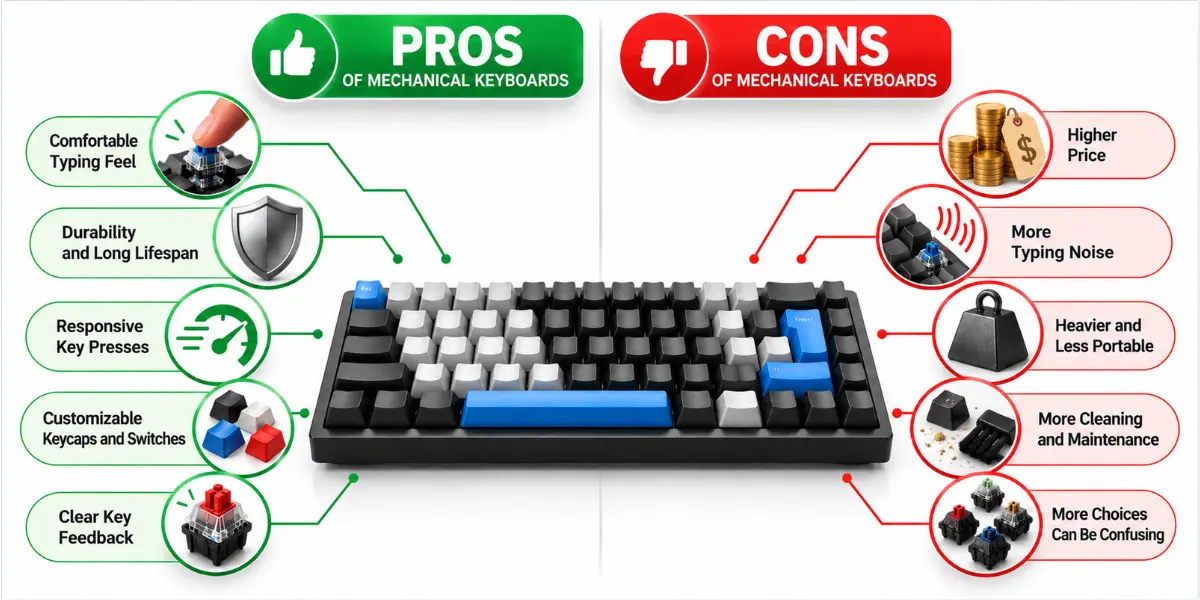
Mechanical Keyboard Pros and Cons at a Glance
Mechanical keyboards offer several benefits, but they also have a few drawbacks. The table below gives you a quick look at the main advantages and disadvantages of mechanical keyboards.
| Feature | Main Benefit | Possible Drawback |
| Typing Feel | Better key feedback | Depends on personal preference |
| Durability | Long lifespan | Not every part lasts equally long |
| Responsiveness | Consistent key response | Not essential for basic use |
| Customization | More switch and keycap choices | More choices can confuse beginners |
| Noise | Different sound options | Some switches can be loud |
| Weight | Stable on the desk | Less portable |
| Maintenance | Some parts can be removed or replaced | Cleaning can take more effort |
| Price | Can offer long-term value | Higher initial cost |
What Are the Pros of Mechanical Keyboards
Mechanical keyboards can offer a comfortable, responsive, and enjoyable typing experience. However, the experience can vary based on the keyboard model, switch type, and build quality.
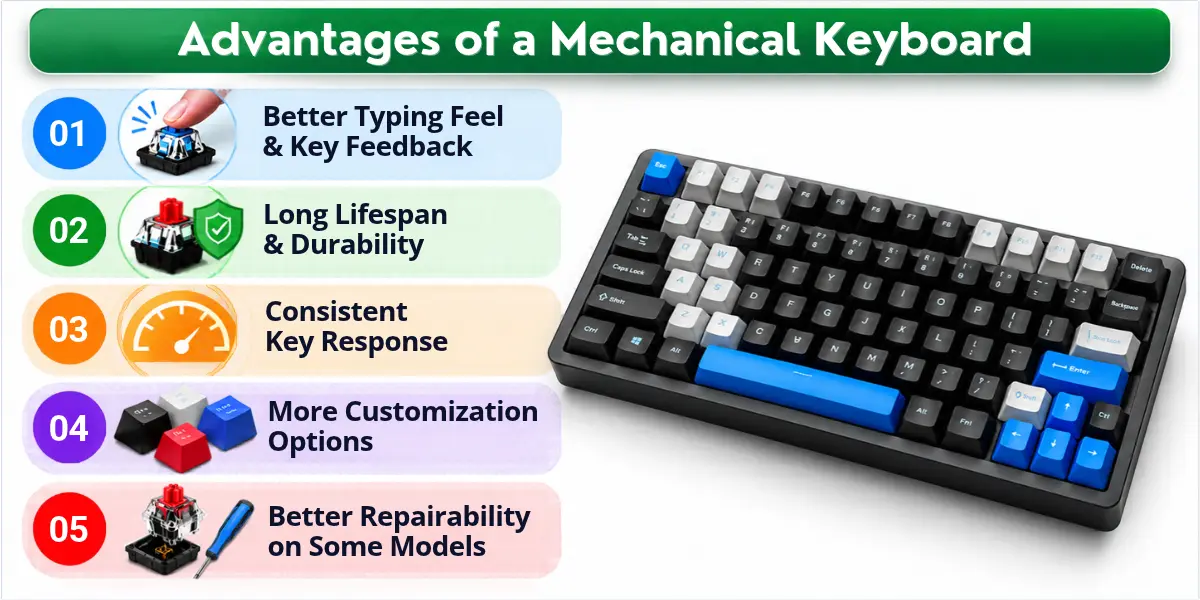
Here are the main advantages to consider:
- Better Typing Feel and Key Feedback
- Long Lifespan and Durability
- Consistent Key Response and Responsiveness
- More Customization Options
- Better Repairability on Some Models
Let’s look at each advantage in more detail and see how it can benefit different users.
Better Typing Feel and Key Feedback
Mechanical keyboards give clear key feedback when you press a key. They also offer different typing feels, so you can choose a switch that matches the way you like to type.
- Tactile switches give a small bump when you press a key.
- Linear switches feel smooth without a tactile bump.
- Clicky switches give tactile feedback with a noticeable click sound.
These options can help frequent typists find a typing feel they like. For some users, this clear feedback and typing feel can make long typing sessions feel more comfortable. However, key feel is a personal preference, so the same switch may feel different to different users.
Long Lifespan and Durability
Mechanical keyboards can last for many years with regular use. Their mechanical switches often support a high number of keypresses, but the actual lifespan depends on the switch, keyboard model, and build quality.
- Mechanical switches can support millions of keypresses.
- If you type every day, a durable keyboard can handle regular use for years.
- Good build quality can help the keyboard last longer.
- On some models, you can replace worn switches or keycaps.
This can make a mechanical keyboard a good long-term choice for frequent users. However, the rated switch lifespan does not mean every part of the keyboard will last equally long.
Consistent Key Response and Responsiveness
Mechanical switches can provide a consistent and predictable key response. When you press a key, the switch registers the keypress at a specific point. This can make repeated keypresses feel more consistent.
- A consistent switch response can make typing feel more predictable.
- Actuation shows when a keypress is registered.
- Key rollover helps the keyboard recognize several keypresses.
- N-key rollover can recognize multiple keys pressed at the same time.
- Anti-ghosting helps reduce false or unintended keypresses.
These features can be useful for fast typing and gaming. However, not every mechanical keyboard is automatically faster, and performance can vary between models.
More Customization Options
Mechanical keyboards give you more ways to change how your keyboard looks and feels. You can choose different switches, keycaps, layouts, and features based on your needs.
- Switch options let you choose how the keys feel.
- Keycap replacement lets you change worn keycaps.
- Hot-swappable keyboards let you replace switches easily.
- Keyboard layouts let you choose the keyboard size and key arrangement.
- RGB lighting adds colors and lighting effects.
- Programmable keys let you set keys to do specific tasks.
- Macros let one key perform several actions.
These options make a mechanical keyboard more flexible and personal.
Better Repairability on Some Models
Some mechanical keyboards are easier to repair than others. You may be able to replace worn keycaps, switches, or other parts instead of replacing the whole keyboard.
- Keycap replacement lets you replace worn or damaged keycaps.
- Hot-swappable models let you replace switches without soldering.
- Individual parts can be replaced on some keyboards.
- Replaceable parts can help extend the keyboard’s useful life.
- Repairability varies between mechanical keyboard models.
Replacing worn or broken parts can help a mechanical keyboard last longer. Before buying one, check which parts you can replace.
What Are the Cons of Mechanical Keyboards
Mechanical keyboards also have some drawbacks. How much these drawbacks matter depends on your budget, typing habits, noise needs, and how you use your keyboard.
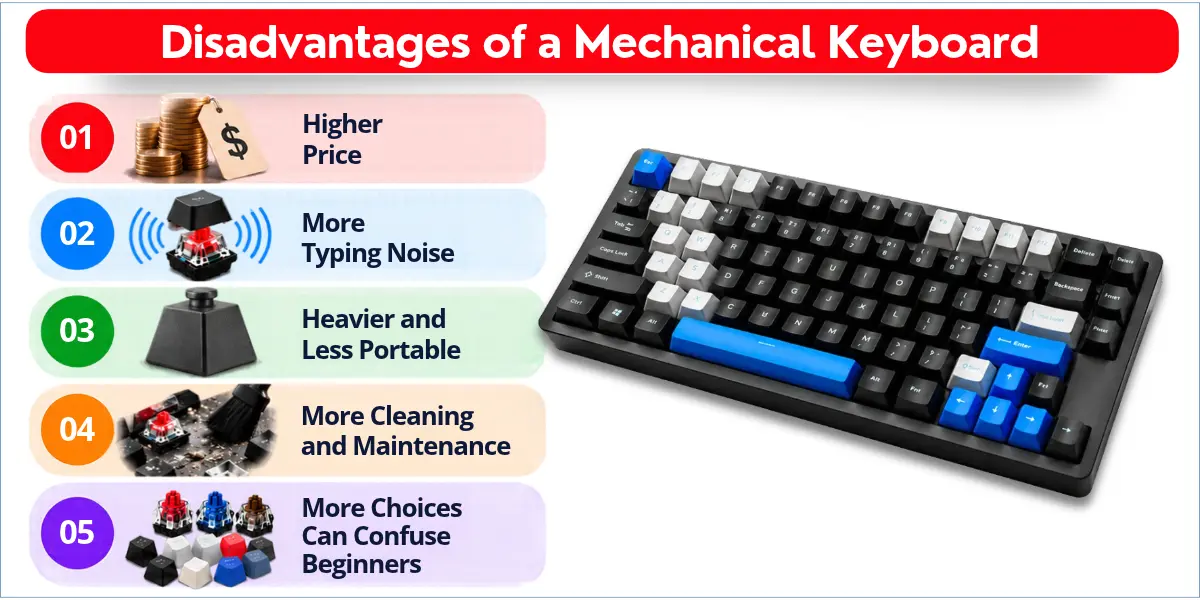
Here are the main disadvantages of mechanical keyboards:
- Higher Price
- More Typing Noise
- Heavier and Less Portable
- Cleaning and Maintenance
- More Choices Can Confuse Beginners
Let’s look at each drawback in more detail so you can decide if these issues matter to you.
Higher Price
Mechanical keyboards often cost more than basic keyboards. However, you can find both budget and premium models, so the right choice depends on your needs and budget.
- Higher initial cost can make a mechanical keyboard harder to afford.
- Premium mechanical keyboards can cost much more because of their features and build quality.
- Budget mechanical keyboards are available for users who want to spend less.
- A higher price does not always mean better quality.
- Long-term value can be different from the initial price you pay.
If you use a keyboard every day, a well-built model may offer better value over time. But occasional users may not need to spend more.
More Typing Noise
Some mechanical keyboards can produce noticeable typing noise, depending on the switch type. So, not every mechanical keyboard is loud.
- Clicky switches are generally louder because they make a clear click sound.
- Tactile switches can produce a moderate amount of sound.
- Linear switches are often quieter than clicky switches.
- Silent mechanical switches are designed to reduce typing noise.
- Shared spaces may require a quieter keyboard to avoid disturbing others.
A noisy keyboard may be fine for home use but can be distracting in an office or shared room. If noise matters to you, choose a quieter switch instead of assuming that all mechanical keyboards sound the same.
Heavier and Less Portable
Some mechanical keyboards can be heavier and less portable than many standard keyboards. Larger designs and heavier construction can add weight, especially in full-size models.
- Larger keyboards and heavier construction can add weight.
- Full-size keyboards take up more desk and bag space.
- Compact and tenkeyless models are easier to carry.
- Low-profile designs can offer a thinner and lighter option.
- If you carry your keyboard often, portability can become a concern.
A heavier keyboard can feel stable on a desk, but it may be less convenient to carry. If portability matters to you, a compact, tenkeyless, or low-profile model may be a better choice.
Cleaning and Maintenance
Mechanical keyboards may need regular cleaning to keep dust and debris away from the keys. The amount of cleaning can vary between keyboard models and their key design.
- Dust and debris can collect around and between the keys.
- Cleaning between keys may take more time.
- Removing keycaps can make deeper cleaning easier on some models.
- Regular cleaning helps keep the keyboard in good condition.
- If you clean your keyboard often, some models may be easier to maintain.
Different keyboard models can have different cleaning needs. Also, maintenance and repairability are not the same. Maintenance means keeping the keyboard clean and working well, while repairability means you can replace or fix certain parts.
More Choices Can Confuse Beginners
Mechanical keyboards offer many choices, which can be helpful but confusing for first-time buyers. You may need to compare switches, layouts, keycaps, connectivity, and prices before choosing one.
- Switch types include linear, tactile, and clicky options.
- Keyboard layouts come in different sizes and key arrangements.
- Keycap choices give you different shapes, materials, and designs.
- Hot-swappable keyboards make it easier to replace or try different switches.
- Wired and wireless options give you another choice to consider.
- Different price levels can make it harder to know what you really need.
Having more choices is not a problem by itself. But if you are buying your first mechanical keyboard, too many options can make the decision harder and take more time.
How Switch Types Affect Mechanical Keyboard Pros and Cons
The switch type affects how a mechanical keyboard feels and sounds when you type. It mainly changes the key feedback, typing feel, and typing noise.
Linear Switches
Linear switches provide a smooth keypress without a noticeable tactile bump. They are often quieter than clicky switches and can feel smooth for both typing and gaming.
Tactile Switches
Tactile switches have a noticeable bump when you press a key. This clear feedback can suit users who like to feel each keypress while typing.
Clicky Switches
Clicky switches provide both a tactile bump and an audible click. They can make typing feel satisfying, but the sound may be too loud for offices or shared rooms.
Silent Mechanical Switches
Silent mechanical switches are designed to reduce typing noise while keeping a mechanical switch design. They can be a good choice for offices, shared rooms, or other quiet spaces.
Are Mechanical Keyboards Good for Different Users?
A mechanical keyboard can be useful for some users but unnecessary for others. Your typing habits, budget, noise needs, and daily use can help you decide if it is worth considering.
Mechanical Keyboards for Students
A mechanical keyboard can suit students who type assignments and other work regularly. If your budget is limited or you need a quiet keyboard, a basic or silent keyboard may be a better fit.
Mechanical Keyboards for Typing
Mechanical keyboards can suit people who type frequently. The typing feel, key feedback, and consistent response can make regular typing more comfortable for some users.
Mechanical Keyboards for Gaming
A mechanical keyboard can be useful for gaming if you prefer its key feel and response. If you play games that require several keys at once, check the keyboard’s key rollover and anti-ghosting support. Your budget and preferred typing noise also matter.
Mechanical Keyboards for Programming
Mechanical keyboards can suit programmers who spend many hours typing code. A comfortable typing feel and useful customization options can make long-term use more convenient.
Mechanical Keyboards for Office Work
A mechanical keyboard can work well for office users who type often. However, noise, desk space, and budget matter, so a quieter or more compact model may be more suitable for some workspaces.
Mechanical Keyboards for Everyday Computer Use
For web browsing, email, documents, and basic computer tasks, a mechanical keyboard is not necessary for everyone. If you use a keyboard often and prefer its typing feel, the extra cost may be worth considering.
Are Mechanical Keyboards Worth It?
A mechanical keyboard can be worth the cost if you use it often. It can offer a better typing feel, durability, responsiveness, and customization. If you only use a keyboard for basic tasks, a standard keyboard may be enough.
| If You… | Is It Worth It? |
| Type every day | Yes, especially if you like the typing feel |
| Game often | Yes, if you value responsive keys |
| Program regularly | Yes, if you type for long hours |
| Want customization | Yes, if you value more choices |
| Need a quiet keyboard | Choose a quieter switch |
| Have a tight budget | Maybe not |
| Use a keyboard occasionally | Probably not |
| Want a lightweight keyboard | Consider a compact or low-profile model |
Your choice depends on how often you use your keyboard. Budget, typing preference, noise needs, and portability also matter.
Conclusion
Mechanical keyboards can be a good choice for people who type or game often and prefer their key feel. However, their price, noise, and weight may not suit everyone.
The mechanical keyboard pros and cons depend on your needs, budget, and typing habits. Before buying one, compare switch types and choose a keyboard that fits your daily use. If you only need a keyboard for basic tasks, a standard keyboard may be enough.
Frequently Asked Questions About Mechanical Keyboards
Still have questions about mechanical keyboards? Here are quick answers to common beginner questions.
Mechanical keyboards can be better for users who want a comfortable typing feel, clear key feedback, and customization. However, they are not better for everyone. Your budget, typing habits, and personal preference matter.
People like mechanical keyboards for their typing feel, responsive keys, durability, and customization options. Different switches also let users choose how their keys feel and sound.
Not all mechanical keyboards are loud. Clicky switches usually make more noise, while linear and silent switches can be quieter. Choose a quieter switch if you work in a shared or quiet space.
Yes, mechanical keyboards can be good for beginners. Start with a simple model and choose a switch that feels comfortable. You do not need advanced features for basic use.
Mechanical keyboards may feel different at first, especially if you are moving from a laptop or standard keyboard. Many users can adjust to the different key feel with regular use.
A mechanical keyboard does not automatically make you type faster. However, consistent key response and comfortable key feedback may help some users type more comfortably and accurately.

- Be Respectful
- Stay Relevant
- Stay Positive
- True Feedback
- Encourage Discussion
- Avoid Spamming
- No Fake News
- Don't Copy-Paste
- No Personal Attacks
- Be Respectful
- Stay Relevant
- Stay Positive
- True Feedback
- Encourage Discussion
- Avoid Spamming
- No Fake News
- Don't Copy-Paste
- No Personal Attacks
